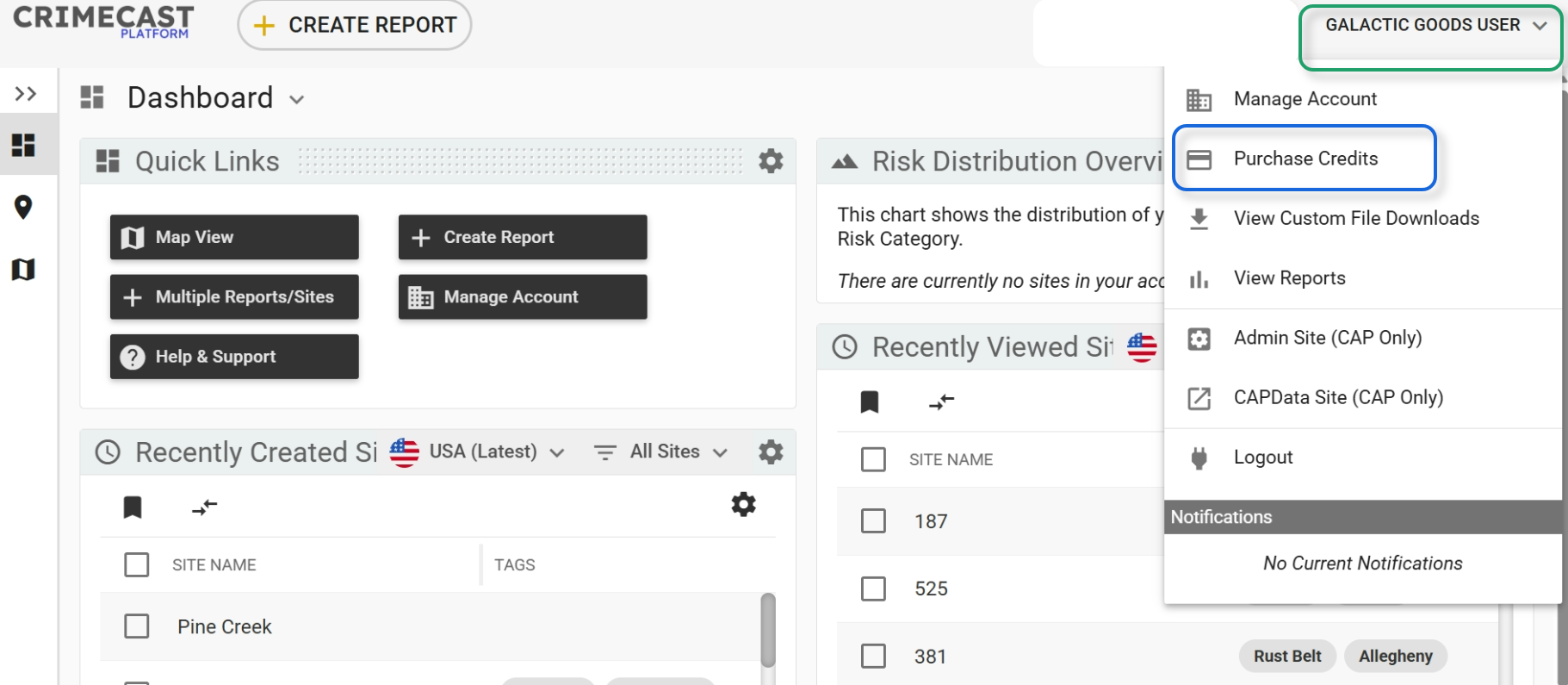
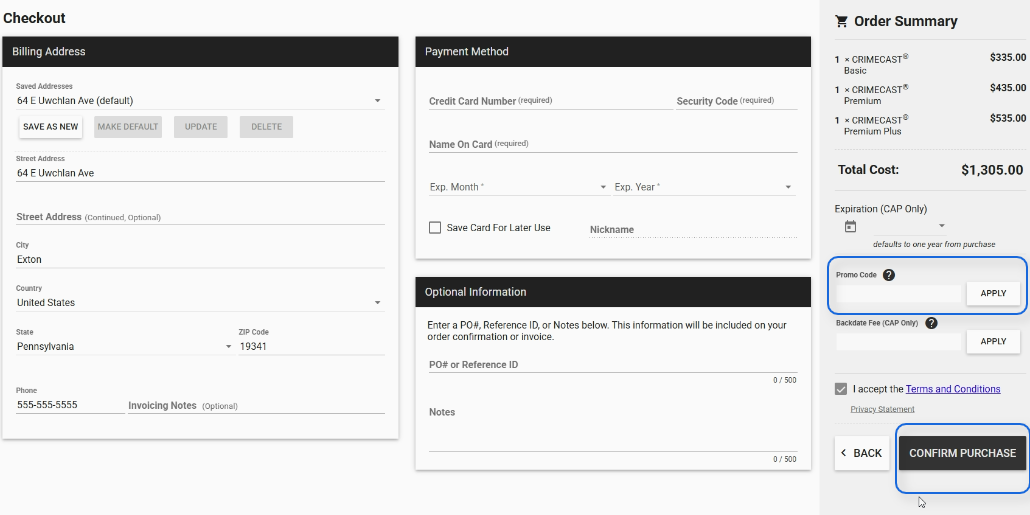
How to purchase report credits for CRIMECAST Reports.

How to purchase report credits for CRIMECAST Reports.

You can purchase report credits at any time directly within the platform.  Follow these steps:


    • Related Articles

    • How to create a CRIMECAST Report for a single site.

      How to Create a CRIMECAST Report for a Single Site Within the CRIMECAST Platform, you can create a CRIMECAST Report for a single site; create CRIMECAST Reports for multiple sites at the same time; and, upload sites without initially scoring the sites ...
    • How to download or export site reports.

      You can download CRIMECAST reports from the Site Library or within the Site Details page. In the Site Library, you can use the "Download Reports" button found in the Site Library navigation panel to download individual reports that are selected or ...
    • Where to find and view old reports.

      CRIMECAST Reports that have been created within the past five years can be found within the Site Library.   In some cases, the filter settings at the top of the Site Library may limit what is within view.  The filter settings can be edited to select ...
    • Viewing Current or Past CRIMECAST Reports

      CRIMECAST Reports for an individual location can be accessed from the site details page navigation pane shown below: Prior year reports can be viewed using the dropdown menu at the top of this section, and the reports for different Scoring ...
    • What to do if you run a report for an incorrect address?

      No problem, mistakes happen. Contact your CAP Index Sales Representative and we are happy to help.